Turn your photos into a story you’ll replay.
Lapse weaves the photos you’ve been collecting — days, months, even years apart — into one smooth, spellbinding timelapse of someone changing before your eyes. The kind of little film you’ll watch again and again.



Three panels. That’s the whole trick.
Dump the photos in
From your gallery, Google Photos, or the in-app camera. Days apart or years apart — any mix works.
Every face, lined up
On-device AI finds the face in each photo and quietly registers it frame to frame — eyes level, same size, dead center.
Press play
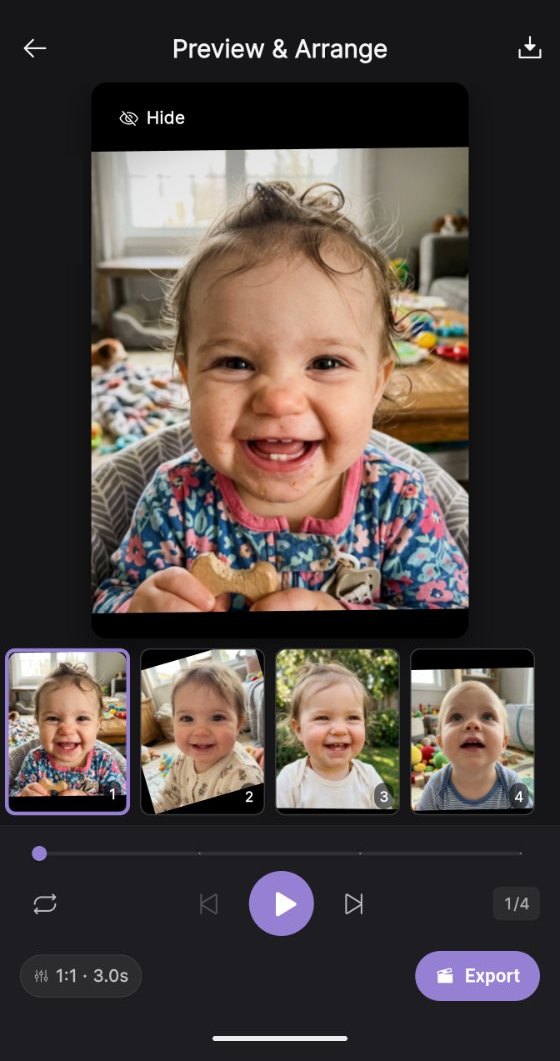
Preview it, set the pace, pick a soundtrack, then export a little film that flows instead of flickers. Watch it. Watch it again.
Smooth enough to feel like magic.
Most timelapse apps just stitch photos together, so faces jump around. Lapse aligns the face in every single frame — that’s the difference between a slideshow and a story.
Face detection & alignment
The AI finds the face in every photo, matches it across frames, and aligns it so your subject stays rock-steady — even years apart.
On-device & private
No cloud uploads, no account. All detection and alignment runs on your phone — your photos never leave the device.
Import or capture
Pull photos in from your gallery or Google Photos, or take them with the in-app camera. Drag to reorder the story.
Speed & quality controls
Tune the pace, resolution, and framing — 480p to 1080p — with a live preview of the finished lapse.
Export & share anywhere
1:1 for Instagram, 9:16 for Reels and TikTok, 16:9 for YouTube. Share straight from the app.
Multi-face calibration
More than one person in the shot? Calibrate once to pick whose story it is, and Lapse follows them through every frame.
One story, told in frames.
Drop in the pictures you’ve been quietly collecting and watch them become one continuous moment. People make lapses of…
- Kids growing up
- Pregnancy, week by week
- Fitness journeys
- Braces, start to finish
- Hair experiments
- Years of birthdays
It all happens on your phone.
Face detection, alignment, and rendering all happen on your device — there are no accounts and no content backend. If you connect Google Photos to import, Lapse downloads only the photos you pick, one time, and never uploads anything back. Read the privacy policy →
Be first to make one.
Lapse is in beta on iOS and Android. Request an invite and we’ll get you in.
free while in beta — no Lapse account, ever